OneDrive External Reporting Script - June 2026
OneDrive External Reporting Script - June 2026
Couldn't load pickup availability
Take Control of OneDrive Sharing Across Your Entire Microsoft 365 Tenant
JUNE - JULY 2026 - AUTOMATIC 30% DISCOUNT APPLIED AT CHECKOUT!
Let's be honest — Microsoft's built-in sharing reports are pretty underwhelming. They show you a snapshot of recent activity, leave out half the context you actually need, and give you no clean way to answer the question every IT admin eventually gets asked: "Can you tell me exactly what we have shared, with who, and where it lives?"
This script answers that question. Completely.
Whether you're preparing for a tenant migration, running a security audit, satisfying a compliance review, or just trying to understand the true sharing posture of your organization, the TCG OneDrive External Sharing Report scans every OneDrive in your M365 environment and produces a single, beautifully structured Excel workbook with everything you need to know.
What it reports on:
- Every file and folder across all user OneDrives — not just recent activity, everything
- The full folder path so you know exactly where each item lives
- Whether each item is shared internally, externally, or not at all
- Who it's shared with — names, email addresses, link types, and permissions
- Anonymous links, password-protected links, expiring links, and download-blocked links — all flagged
- OneNote notebooks treated as first-class items alongside files and folders
What makes it production-ready:
- Fully automated app registration — one menu option creates the Entra ID app, sets permissions, generates the certificate, creates the client secret, and writes everything to the config file. No portal wrestling required.
- Intelligent Microsoft.Graph module handling — automatically detects and resolves version conflicts across multiple installed versions, so it just works regardless of your PowerShell environment
- Graceful error handling — locked sites, unlicensed accounts, throttled API calls (with automatic retry and back-off), and empty drives are all handled cleanly without derailing the run
- Structured logging with INFO / WARN / ERROR levels — every run produces a timestamped log file with a summary count at the end, so you always know exactly what happened
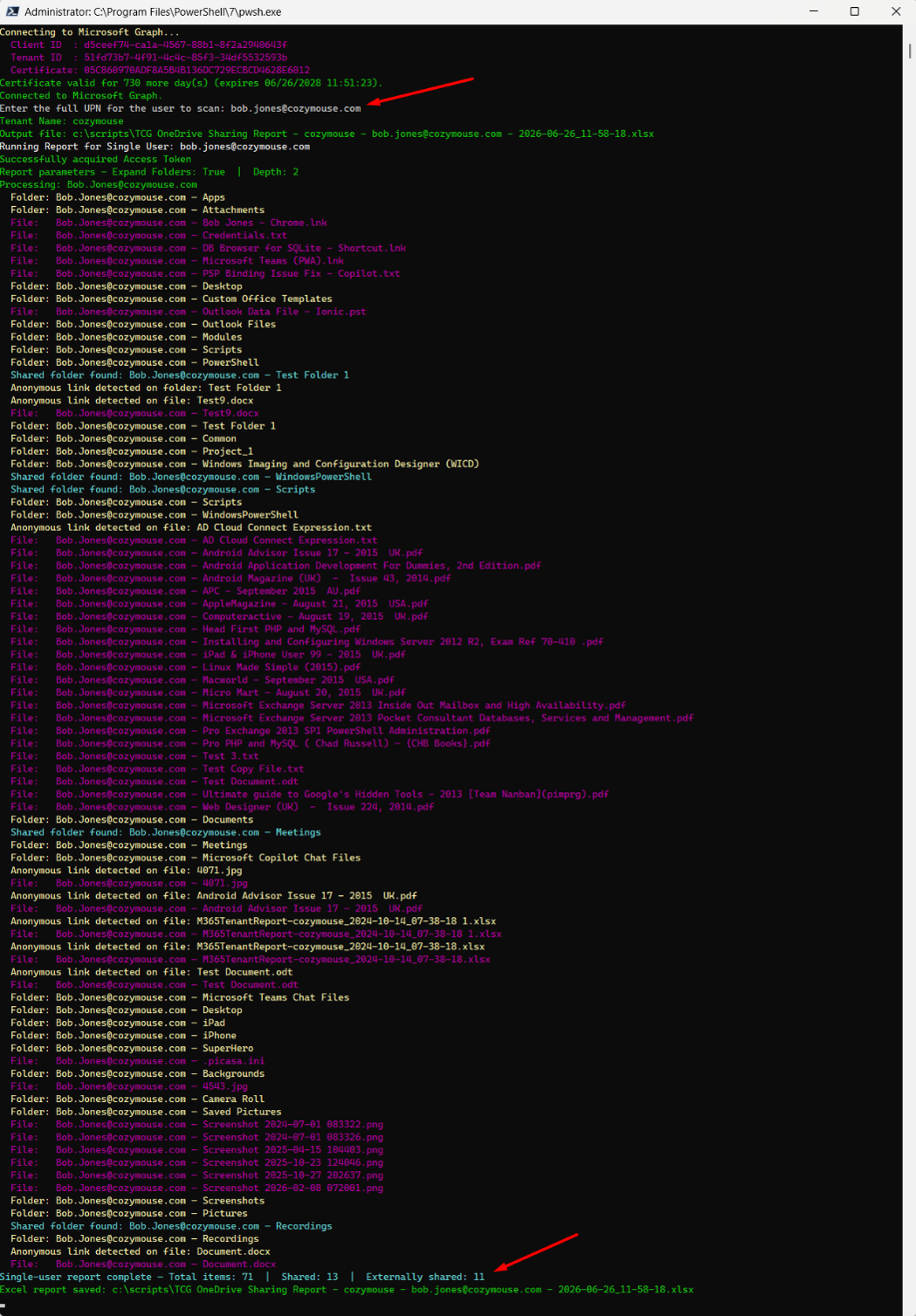
- Single-user mode — need to quickly check one person's OneDrive? Run it scoped to a single UPN without touching the rest of the tenant
- Configurable depth — control how deep into the folder tree the script recurses
The output is a fully formatted Excel file with AutoFilter, frozen headers, and a clean column layout: owner, folder path, file name, item type, shared status, external sharing flag, permissions detail, and direct URL. Filter on "Externally Shared = Yes" and you have your risk report in seconds.
June 2026 Update — Automated app registration now includes client secret creation and full config XML population. Added folder path as a dedicated report column. Resolved Microsoft.Graph module version-conflict handling for environments with multiple SDK versions installed. Improved error handling for locked and resource-restricted OneDrive sites.
Delivered as-is and without warranty. For discovery and reporting purposes.
Share